


Polylang Pro 3.9 introduces several new features and improvements. As this release includes many changes, we are presenting them across several articles. In this article, we focus on three improvements: new REST API capabilities for managing languages and fallbacks, better visibility into DeepL translation usage, and simplified license management for Business Pack users.
Manage active languages and fallbacks with the REST API
Polylang Pro
Polylang Business Pack
Polylang Pro 3.9 makes it possible to manage active languages and fallback languages through the REST API. This allows developers and agencies to automate multilingual setups, for example when deploying or configuring multiple sites.
Using the REST API, you can activate or deactivate languages and configure fallback languages, making it easier to apply consistent multilingual settings across sites without having to configure them manually from the WordPress dashboard.
Set a fallback language
The following example sets German (Germany) (de_DE) as the fallback language for German (Switzerland) (de_CH).
The code first retrieves the de_CH language and sends a PATCH request to update its fallback languages. It then checks the response and displays the configured fallbacks. In this example, the result is de_DE.
$language = PLL()->model->languages->get( 'de_CH' );

if ( $language ) {
	$request = new \WP_REST_Request( 'PATCH', "/pll/v1/languages/{$language->term_id}" );
	$request->set_param( 'fallbacks', array( 'de_DE' ) );
	$response = rest_get_server()->dispatch( $request );

	if ( 200 === $response->get_status() ) {
		$data = $response->get_data();
		print_r( $data['fallbacks'] ?? array() ); // Array( [0] => de_DE )
	}
}
Track your DeepL translation usage
Polylang Pro
Polylang Business Pack
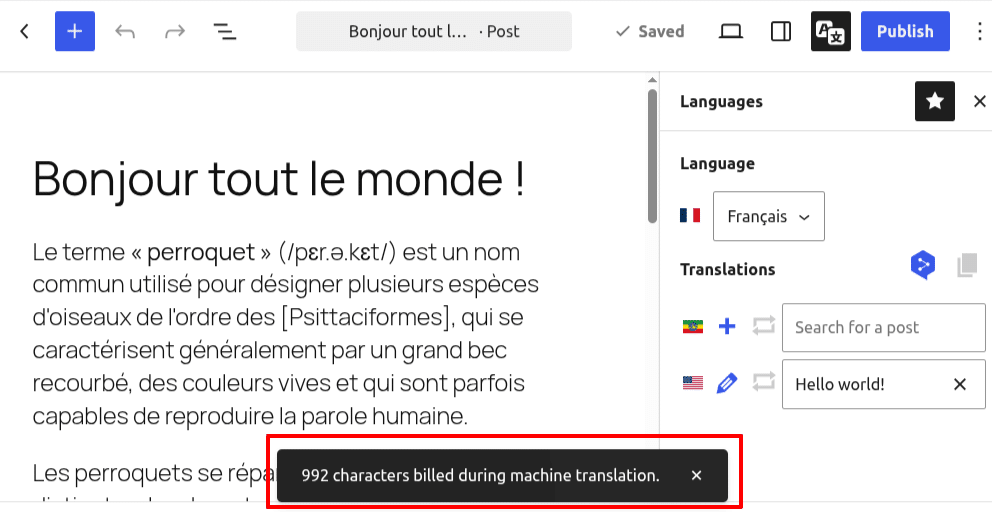
Polylang Pro now retrieves and displays the number of billed characters directly in the translation interface when using DeepL. Once your translated content is saved, a notice shows how many characters were consumed.
This allows you to monitor your usage in real-time without logging into your DeepL account or visiting the Polylang settings page (Languages > Settings > Machine Translation). Consumption is accumulated and displayed as a single consolidated notice.
This feature is currently available for post translations and string translations (under Languages > Translations).
Simplified license management for the Business Pack
Polylang Business Pack
Since migrating to our new licensing system in late July 2025, the Polylang Business Pack has utilized a single license key. Until now, this key had to be entered twice – once for Polylang Pro and once for Polylang for WooCommerce.
With version 3.9, the new updater consolidates these inputs into a single license field for your Polylang Business Pack. If your website is already using a Business Pack license, no action is required after updating to 3.9: your existing license will be automatically preserved and pre-filled in the new unified field.
This updated management system also prepares the Polylang Business Pack for future growth by allowing new add-ons to be seamlessly integrated into your bundle. Whenever a new add-on is added to your Business Pack, your main bundle license will automatically handle its updates as well.