


With the 3.9 version, we’re making multilingual site management more visual, more convenient, and easier to automate. The new release brings a redesigned Language Switcher, better tools for keeping track of your translations, new REST API capabilities, and improved visibility into DeepL usage. The 3.9 version of Polylang Pro also simplifies license management for Business Pack users.
In this article, we’ll give you a quick overview of the main new features included in Polylang 3.9 and Polylang Pro 3.9. We’ll cover each of them in more detail in dedicated articles, with examples and further explanations.
A redesigned Language Switcher and optimized SVG flags
Polylang
Polylang Pro
Polylang Business Pack
The Language Switcher has been completely redesigned with new customization options and layouts. You can now control how language labels and flags are displayed, customize options such as flag size, border radius, alignment, and spacing.
For example, the new Flags settings let you choose how flags are displayed, including a round shape, as shown in the screenshot below.
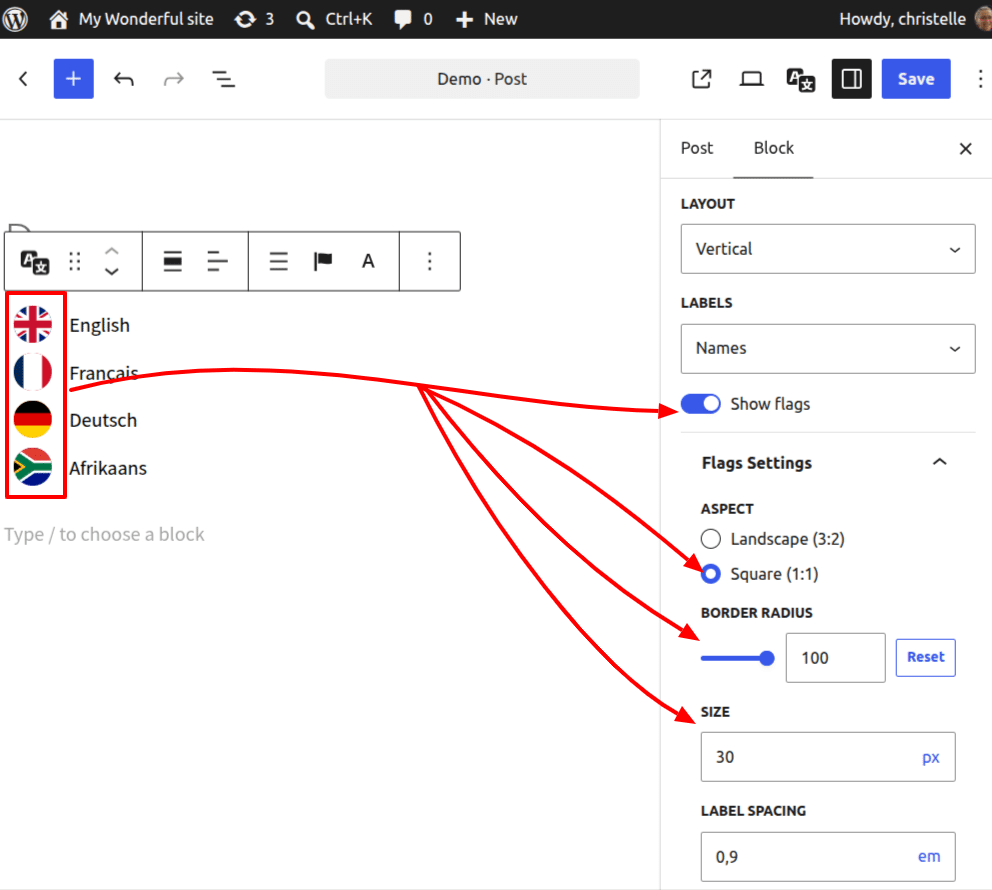
The release also introduces a new set of lightweight SVG flags, replacing the default PNG flags to allow more customization while keeping performance in mind.
Improved content management
Polylang
Polylang Pro
Polylang Business Pack
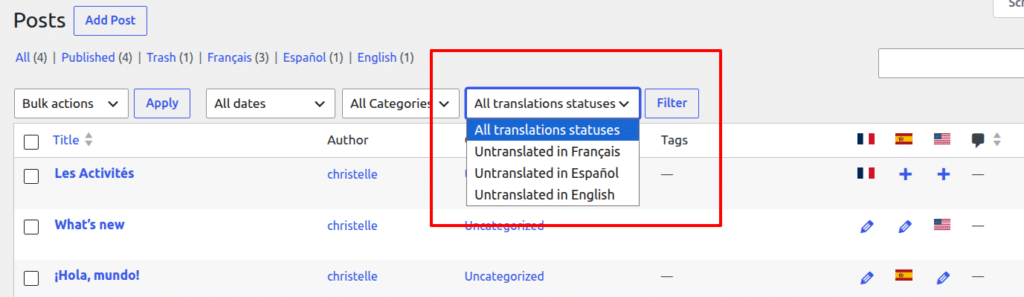
The 3.9 version makes it easier to monitor your multilingual content directly from the WordPress posts list. A new filter lets you find posts that have not yet been translated into a selected language.
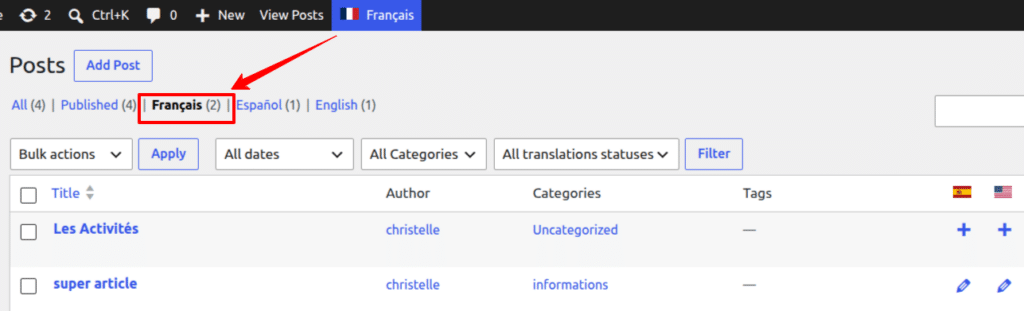
Persistent language views also display the number of posts available in each language and can be combined with WordPress status views such as Published and Draft.
New REST API capabilities
Polylang Pro
Polylang Business Pack
Polylang Pro 3.9 allows developers to manage active languages and fallback languages through the REST API. Languages can be activated or deactivated and fallback languages can be configured programmatically.
This makes it easier to automate multilingual configurations, especially when deploying or configuring multiple sites.
Track your DeepL usage
Polylang Pro
Polylang Business Pack
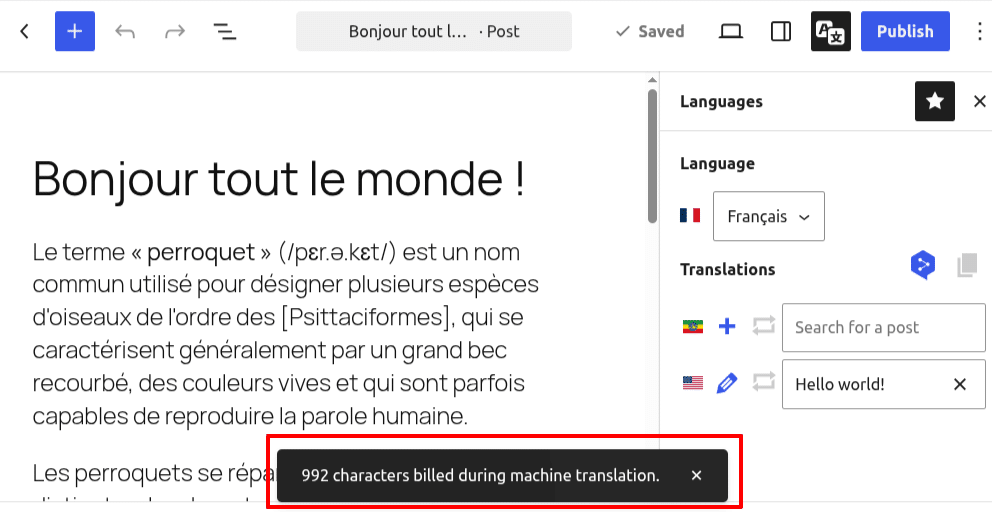
When using DeepL, Polylang Pro 3.9 now lets you see the number of billed characters directly in the translation interface. The character count is displayed as soon as the translation is completed, before you save or publish the content.
This information was already available in Languages > Settings > Machine Translation. With 3.9, the usage is also displayed directly in the translation interface, making it easier to keep track of your consumption while translating without having to leave the page.
Simpler Business Pack license management
Polylang Business Pack
Polylang Pro 3.9 simplifies license management for Business Pack users by consolidating the license inputs into a single field. Your existing Business Pack license will be automatically preserved and pre-filled after updating.
The new system also prepares the Business Pack for future add-ons, which will be automatically covered by the main bundle license.
Polylang 3.9 and Polylang Pro 3.9 are available as beta releases this week.
Get the beta versions
For Polylang, go to the Advanced View on WordPress.org, scroll to the bottom of the page, and select “Development version”.
For Polylang Pro, go to your Account > Downloads menu and download the beta version from the “Beta versions” section.
Before testing the update, back up your site or use a local environment! If you encounter issues or have questions, please open a support ticket. Your feedback is invaluable in ensuring the stable version is polished and ready for all users. Thank you so much for helping us shape Polylang and happy testing!