


Use the Polylang extension for Gato GraphQL to retrieve the language of each post, and to request only the content in a specific language from your WordPress headless site.
This extension integrates Polylang language information into the GraphQL schema so you can filter queries by language, return language metadata for each entry, and build localized static sites or APIs without mixing translations.
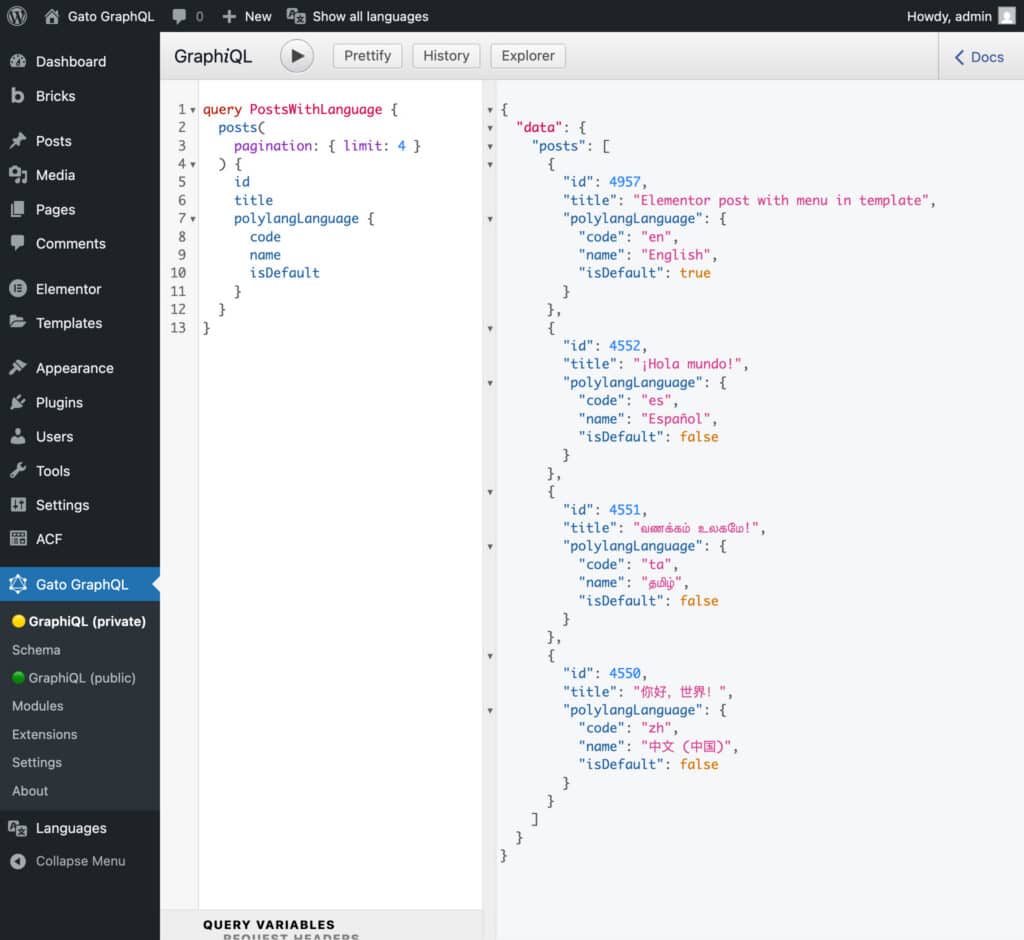
What this extension provides
The Polylang extension adds language-aware fields and filters to the GraphQL schema. With it you can:
- Filter queries to return posts, pages or custom post types only in a selected language.
- Read language metadata on each entry (language code, name, or whether it is the default language).
- Fetch multiple languages in a single query by passing a list of language codes.
Who should use this
This is useful for developers running Polylang on WordPress and using Gato GraphQL to power a headless frontend, static site generator, mobile app, or any client that requests content through GraphQL and needs language-specific results.
Prerequisites
- WordPress site with the Polylang plugin installed and configured.
- Translations added in Polylang for the posts/pages you want to query.
- Free Gato GraphQL plugin installed and activated.
- Polylang extension for Gato GraphQL installed and activated.
Filtering content by language
Use the polylangLanguagesBy filter argument in the filter parameter to filter by language. You can pass a single language code, a list of codes, or a special value for the default language.
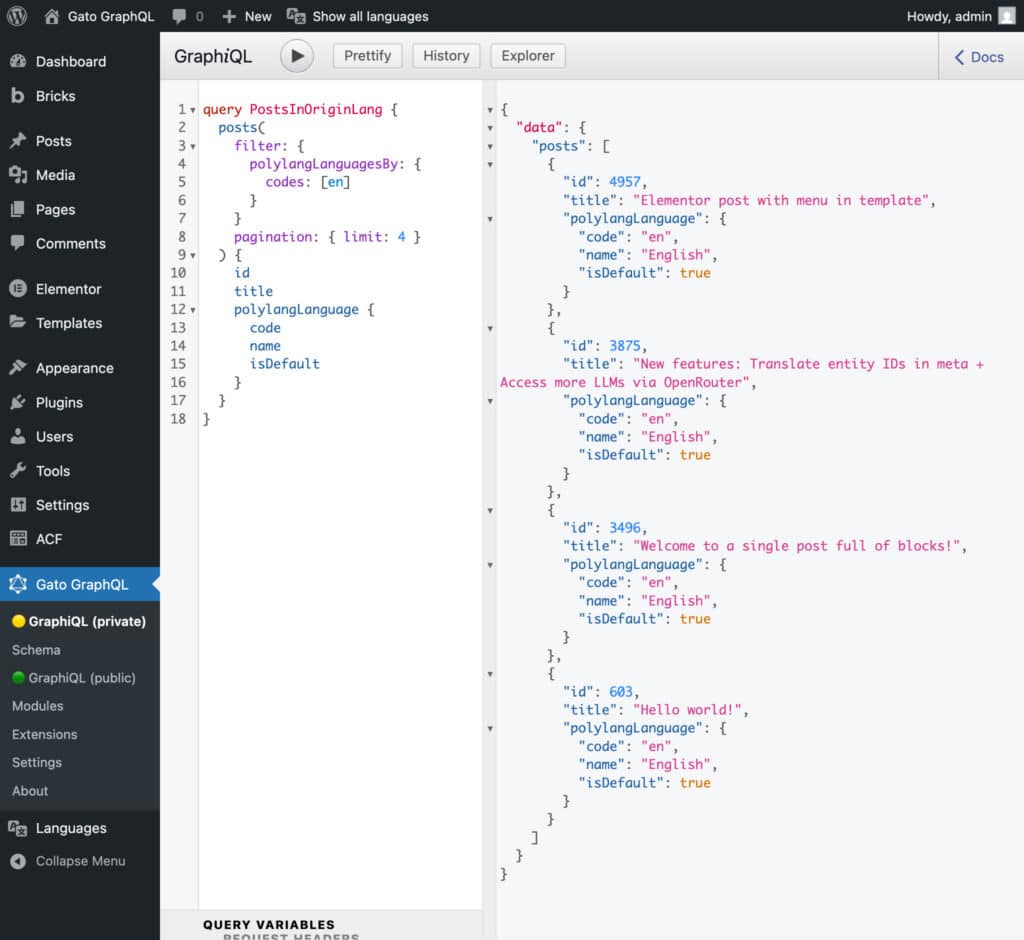
1) Fetch posts only in English
query PostsInOriginLang {
  posts(
    filter: { polylangLanguagesBy: { codes: [en] } }
  ) {
    id
    title
    slug
    polylangLanguage {
      code
      name
      isDefault
    }
  }
}
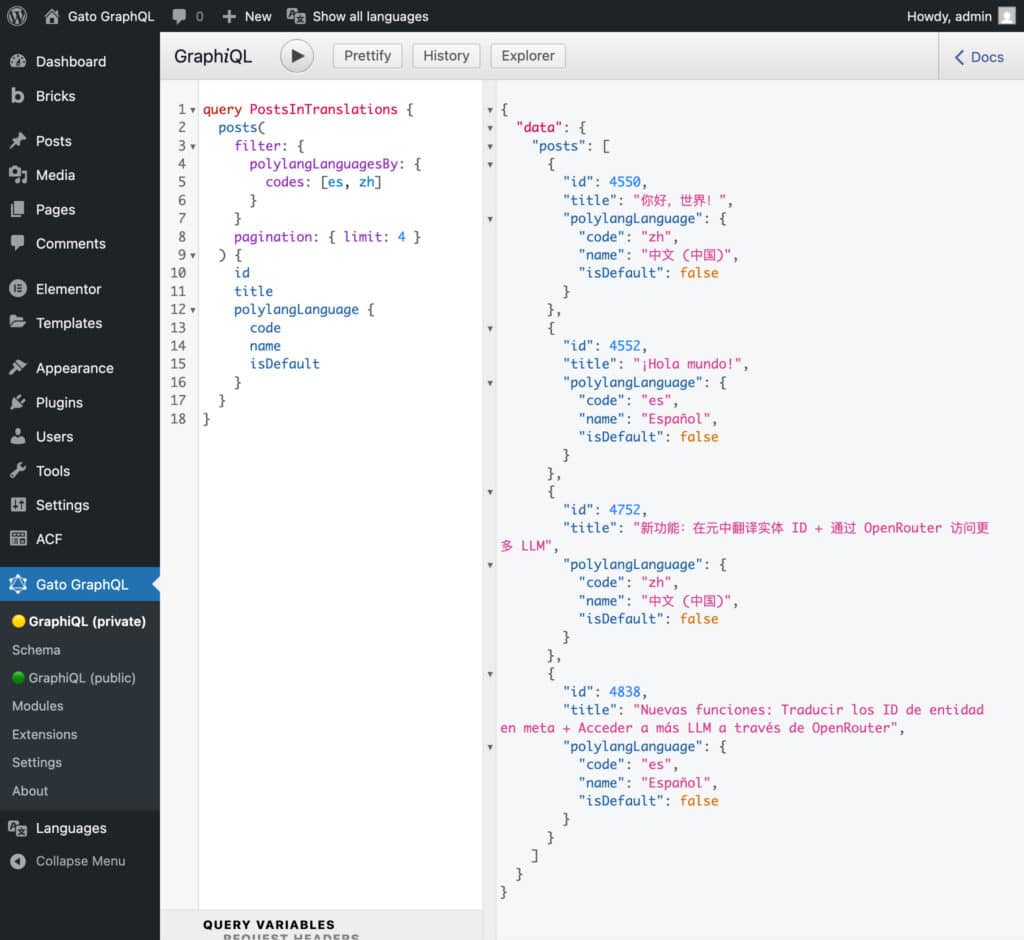
2) Fetch posts in Spanish and Chinese
query PostsInTranslations {
  posts(
    filter: { polylangLanguagesBy: { codes: [es, zh] } }
  ) {
    id
    title
    slug
    polylangLanguage {
      code
      name
      isDefault
    }
  }
}
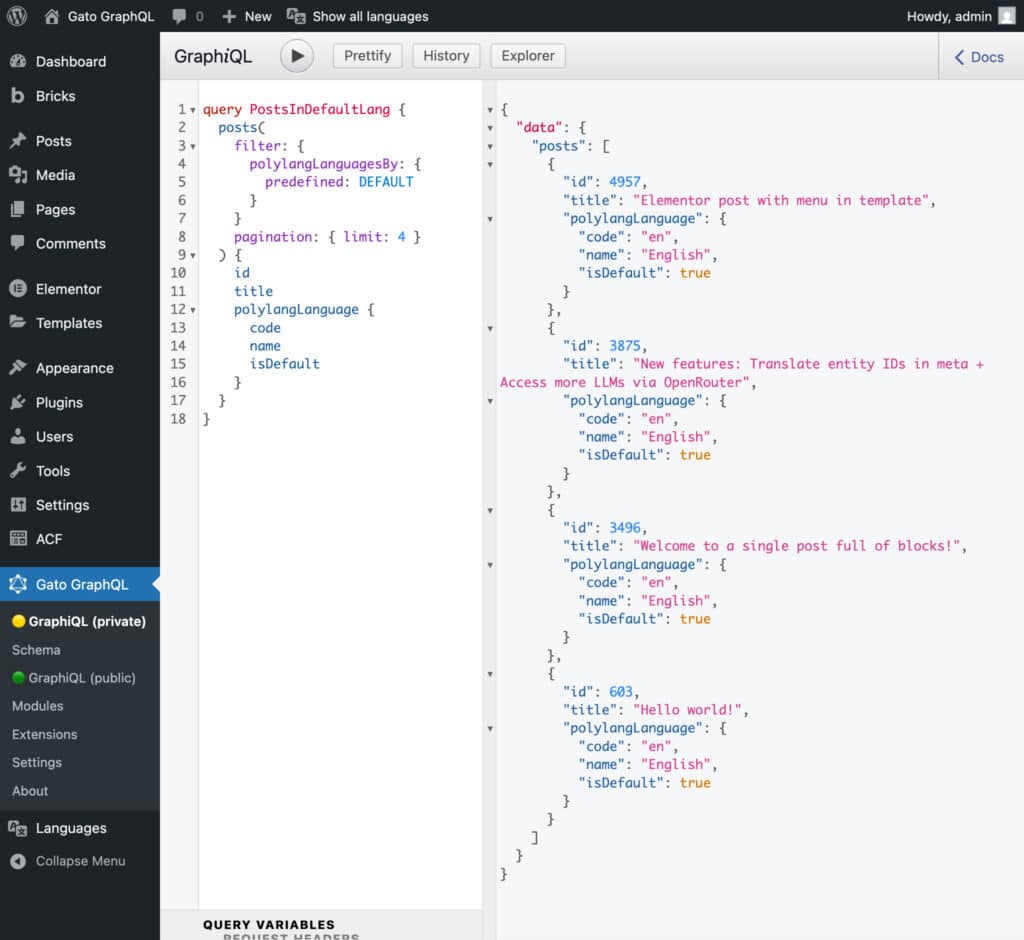
3) Fetch only the default site language
To fetch only the default language entries, use the special value DEFAULT. This returns only the default-language entries used to build a primary site.
query PostsInDefaultLang {
  posts(
    filter: { polylangLanguagesBy: { predefined: DEFAULT } }
  ) {
    id
    title
    slug
    polylangLanguage {
      code
      name
      isDefault
    }
  }
}
Summary
The Polylang extension for Gato GraphQL makes it straightforward to request language-specific WordPress content through GraphQL. Use the polylangLanguagesBy filter argument to return only the languages you need, to localise your headless frontend or static website.