

Polylang for WooCommerce
Make WooCommerce multilingual and sell your products internationally!
The more you get, the less you pay:
Polylang for WooCommerce is subject to a yearly license. Renewals currently benefit from a 50% discount rate and include updates and professional support.
Rating

4.7/5 (3004 votes)
Current version
2.2.7
Last update
October 12, 2026
Active installations
+900.000
Polylang for WooCommerce allows you to create a multilingual shop directly from the WooCommerce interface—nothing less, nothing more—to ensure
fast-blazing performance.
Effortlessly translate WooCommerce pages and products. Stock and cart are synchronized across languages. Emails are sent to customers in the language chosen during the checkout!
fits perfectly for:
Online store owners who want to sell across borders and WordPress agencies that are looking for an easy and reliable way to translate their clients’ WooCommerce sites.
Hint: To save extra money, consider the Business Pack, which bundles Polylang for WooCommerce and Polylang Pro.

Easy and Quick Setup

Full WooCommerce Integration

Machine Translation

Built-in Performance

HPOS
Ready
Translate WooCommerce Products
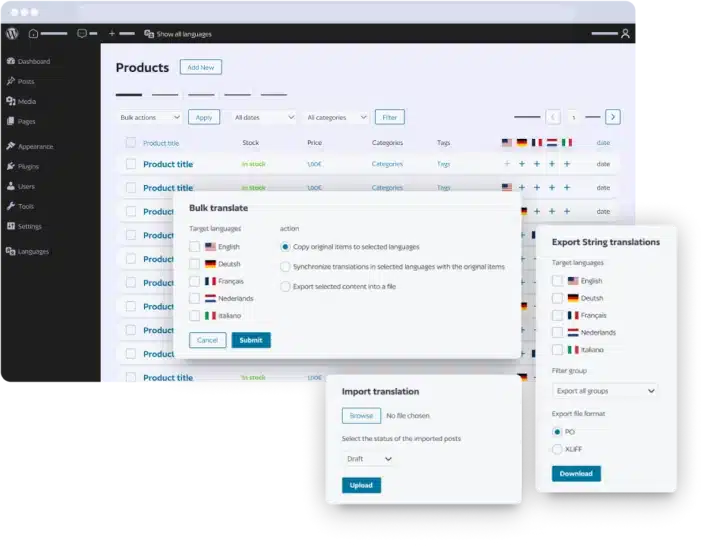
Ensure global reach by translating your products manually or with machine translation:
- The content of simple, variable, and grouped products.
- Categories, tags, and global attributes.
- Automatically loads static WooCommerce product strings if the language pack is available.
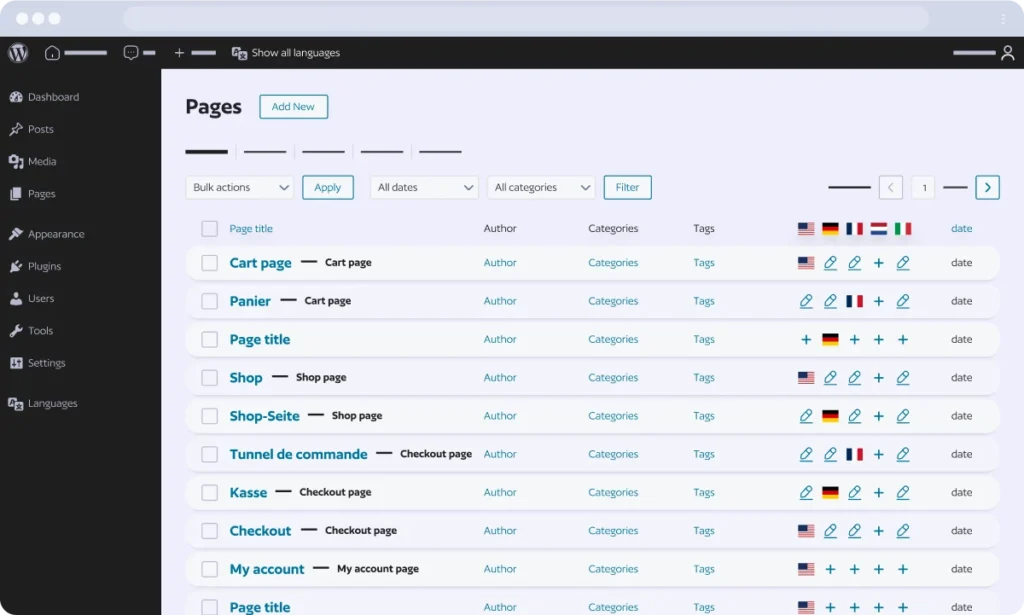
Translate WooCommerce Pages
Polylang for WooCommerce seamlessly integrates with WooCommerce language packs, automatically loading translations for:
- Cart and Checkout pages.
- Shop and My Account pages.
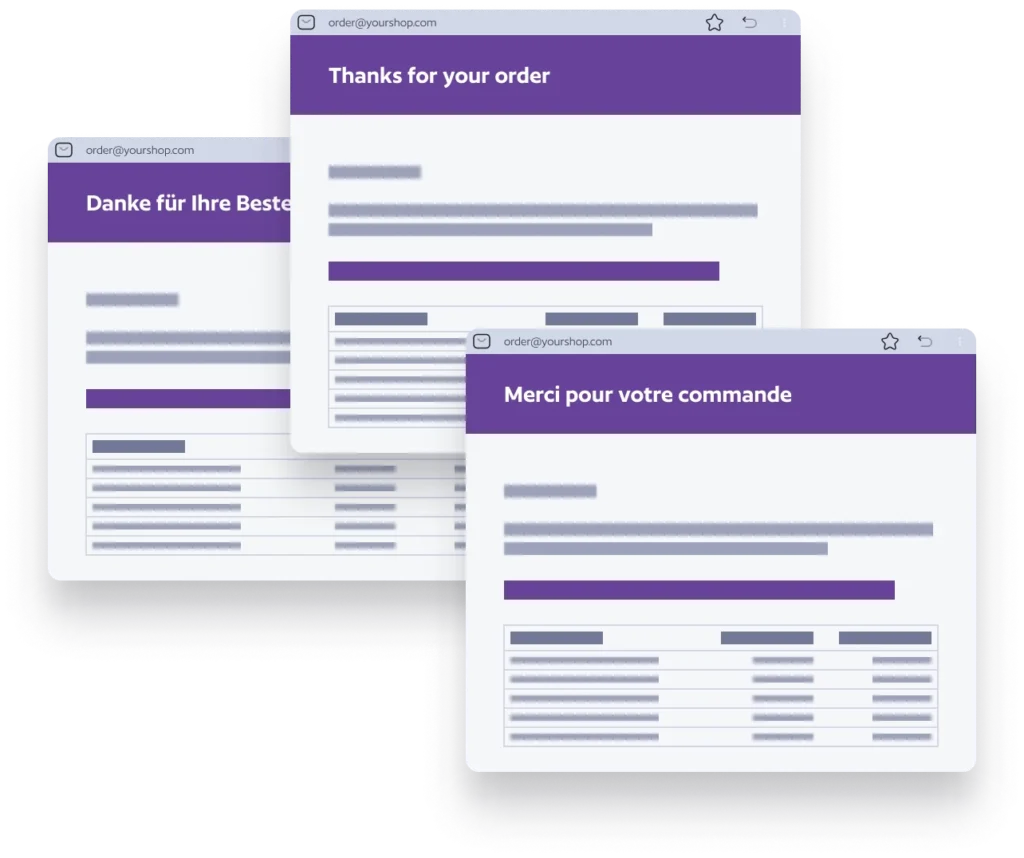
Send WooCommerce Emails in receiver’s language
Foster client relationships by providing localized WooCommerce emails:
- Default WooCommerce emails (e.g., order confirmation).
- If your WordPress user’s language is in the Polylang Language table, the email (e.g., new sale notifications) will be sent in that language.
- Automatically loads existing WooCommerce email translations (if the matching language pack is available).
- Customize and translate “Subject” and “Heading” from the Translations table.
Synchronize content Across Languages
Streamline your multilingual store management by synchronizing content across languages:
- Synchronization of categories, tags, attributes, images, and galleries.
- Synchronization of stock levels across product translations.
Key Features*
* Polylang for WooCommerce is an add-on that must be used in combination with Polylang Pro or Polylang.

Machine Translation (Polylang Pro)
Automatically translate products, categories, tags, pages and posts using our powerful DeepL integration. ⚠️ Does not work with Elementor and some builders – contact us regarding builder compatibility. Note: Polylang Pro does not offer a “translate everything” feature in one click.

Manual Translation
Translate your products, categories, tags, posts, and pages manually. Use Polylang Pro to duplicate a product and its content.

Translate WooCommerce Products
Translate simple, variable, and grouped products.
Translate Products Categories and Tags
Ensure seamless translation of products categories and tags.
Translate Global Attributes
Extend translation capabilities to global attributes.
Translate WooCommerce Pages
The shop, account, cart, and checkout pages are automatically translated by loading translations from the WooCommerce language Packs.

Send WooCommerce Emails in the Receiver’s Language
Send emails in the customer’s language, including default WooCommerce emails like order confirmations. If your WordPress user’s language is in the Polylang Language table, you will receive emails, such as new sale notifications, in your own language.

Stock Synchronization Across Product Translations
Ensure consistency in stock levels across translated products.
Other Content Synchronization
Synchronize prices, categories, tags, shipping classes, attributes, images, and galleries.

Built-in Performance + HPOS Ready
Full compatibility with the High-Performance Order Storage feature. Enjoy a fast online store experience with a bloat-free plugin that doesn’t add any extra tables.
Compatibility with WooCommerce add-ons
Polylang for WooCommerce is fully compatible with WooCommerce add-ons like Bookings, Subscriptions, Product Bundle, Composite products, Mix and Match products, and Dynamic Pricing.

SEO-Ready
Hreflang tags implementation, keyword, and meta description translation to improve the ranking of your WooCommerce store.
Compare Polylang for WooCommerce with other versions

|
Compare with From / yr |
From / yr |
||
|---|---|---|---|---|
| User-friendliness | ||||
| Easy start with our installation wizard |

Loading…
|
|
||
| Benefit from our intuitive interface |
Loading…
|
|
||
| WooCommerce integration | ||||
| Translate products, categories, tags, global attributes |
Loading…
|
|
||
| Translate WooCommerce pages (Shop, Cart, Checkout, My Account) |
Loading…
|
|
||
| Translate WooCommerce emails |
Loading…
|
|
||
| Duplicate a product and its translations in 1 click |
Loading…
|
|
||
| Synchronization of taxonomies, attributes, metadata across product translations |
Loading…
|
|
||
| HPOS ready |
Loading…
|
|
||
| Synchronisation of the cart across languages |
Loading…
|
|
||
| Help and support | ||||
| Access to the documentation and guides |
Loading…
|
|
||
| Premium professional support |
Loading…
|
|
||
| Community support on wordpress.org |
Loading…
|
|||
| Translate your content | ||||
| Translate menus and widgets |
Loading…
|
|||
| Translate slugs in URLs (custom post types, taxonomies and more) |
Loading…
|
|||
| Duplicate the content when creating a translation |
Loading…
|
|||
| Translate custom post types and custom taxonomies |
Loading…
|
|||
| Translate posts, pages, media, categories, tags |
Loading…
|
|||
| Translations can share the same slug in the URL |
Loading…
|
|||
| Synchronized posts to get the same content across translated posts, pages |
Loading…
|
|||
| Setup a multilingual website | ||||
| Enable or disable languages |
Loading…
|
|||
| Use subdirectories, subdomains or separate domains |
Loading…
|
|||
| Import/Export of strings translations in PO or XLIFF format |
Loading…
|
|||
| XLIFF Import/Export for pages, posts, media |
Loading…
|
|||
| Add a language switcher |
Loading…
|
|||
| DeepL Machine Translation integration (your own API key required) | ||||
| Translate your content automatically in the post or page interface (in edition mode). ⚠️ Currently not compatible with Elementor. |
Loading…
|
|||
| Translate your content with DeepL. Check that your language is supported on DeepL’s website |
Loading…
|
|||
| Other features and compatibilities | ||||
| Additional integration with ACF Pro |
Loading…
|
|||
| REST API Support |
Loading…
|
|||
| Site Editing support |
Loading…
|
|||
| WPML API compatibility |
Loading…
|
|||

Do you have any questions?
-
How does stock synchronization work across product translations?

Stock levels are automatically synchronized across all language versions of a product, so you can manage your inventory consistently regardless of which language your customers use to shop.
-
Can I use DeepL to automatically translate my WooCommerce products?
Yes, if you use Polylang Pro alongside Polylang for WooCommerce. DeepL works directly inside the product editor to translate the product title, description, and short description. For product categories and tags, if a translation doesn’t exist yet, DeepL automatically generates it on the fly when translating the product. Note: DeepL machine translation is available in the standard editing interface, but is not compatible with page builders like Elementor for the moment.
-
Are WooCommerce emails sent in the language in which the order was placed?
Yes. Customer emails are automatically sent in the language used to place the order. For example, if a customer completes their purchase in German, they will receive their WooCommerce emails in German.
-
Are WooCommerce prices and product data synchronized across languages?
Yes. Polylang for WooCommerce automatically translates and synchronizes WooCommerce product data across languages, including prices, SKUs, taxes, stock, variations, categories, tags, brands, attributes, up-sells, cross-sells, featured images and product galleries.
This synchronization is automatic and requires no additional configuration.
-
Is Polylang for WooCommerce compatible with WooCommerce extensions?
Polylang for WooCommerce is compatible with many popular WooCommerce extensions.
Some third-party plugins have built-in support for Polylang for WooCommerce directly in their own code.
See our Integrations page for some of the integrations available.
-
Do I need another license key for staging sites and localhost?
No. You can buy only one license key per public site and use it for localhost and your staging site. Your test site url has however to match:
- localhost
- localhost.localdomain
- 10.0.0.0/8
- 172.16.0.0/12
- 192.168.0.0/16
- URLs ending with:
- .dev
- .local
- .test
- .lndo.site
- .ddev.site
- .localhost
- .ddev.site
- URLs starting with:
- dev.
- stage.
- staging.
- preprod.
- sandbox.
- test.
- local.
- Specific domains:
- .wpserveur.net
- .wpengine.com
- .wpenginepowered.com
- .wptiger.fr
- .myraidbox.de
- .lndo.site
- .go-vip.net
- .kinsta.cloud
- .elementor.cloud
- .cloudnet.cloud
- .wpcomstaging.com
- .mystagingwebsite.com (Pressable.com)
- .pantheonsite.io
- .hostinger.site
All URLs matching the rules above will not be counted against your limit of sites. If you have any problem, please contact our support.
-
What is the duration of a license key?
A license key is necessary to obtain the automatic updates and to access to the helpdesk support.
A license key is valid for one year as from the date of purchase. It may be renewed after one year at a preferential rate (currently 50% of the new license price). If a key is not renewed prior to its expiration, the plugin will continue to operate but you will no longer have access to automatic updates and helpdesk support.
It is recommended to run the latest version of WordPress, your theme and your plugins.
-
What is your refund policy?
If you have problems getting your purchased plugin to work, we will be happy to provide a full refund within 30 days of the original purchase.
Before a refund will be granted, you must allow us to try to solve your problem by opening a support ticket.
After 30 days, no refunds will be given.
Refunds do not apply to license upgrades or renewals.
-
What is covered by the support?
Per our general terms and conditions of sale, the support includes the assistance with the installation and use of our plugins. It of course includes the correction of bugs. It does not include the resolution of conflicts with theme or third party plugins. It does not include writing personalized code to fix a problem. It does not include reviewing or fixing personalized code written by the client. No support will be due in the event of a modification of the plugin by the client.